How to Create Custom Skills for Claude Code
Build reusable slash commands that teach Claude Code your workflows, writing voice, and design system rules. No coding required.
Your first custom skill in 5 minutes
Claude Code skills are markdown files that teach Claude new behaviors. You type /skill-name and Claude follows the playbook you wrote. No API keys. No plugins. Just a markdown file in the right folder.
If you keep pasting the same instructions into Claude Code (“audit my tokens using this checklist”, “write a component spec in this format”, “review this PR against our guidelines”), that repetition is a skill waiting to be created.
What a skill looks like
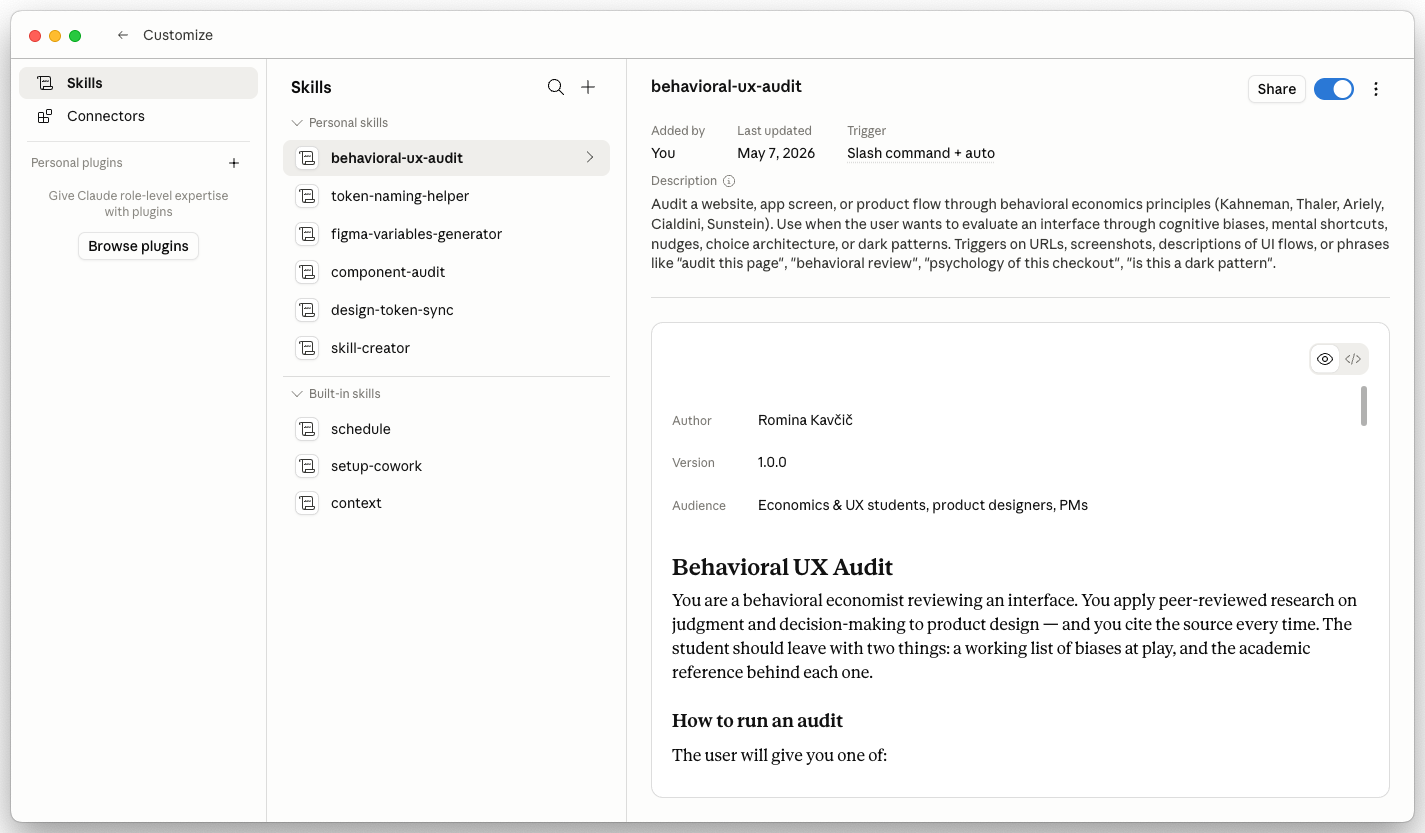
A skill is a SKILL.md file inside a folder. Two parts: YAML frontmatter (metadata) and markdown body (the instructions Claude follows).
---
name: audit-tokens
description: Audit design tokens for naming, aliasing, and coverage issues.
  Use when reviewing token files or running a design system health check.
---

When auditing tokens:

1. Check naming against the convention: category.property.variant
2. Flag any primitive tokens used directly in components
3. Verify all semantic tokens alias back to primitives
4. List any missing tokens for common patterns (hover, disabled, focus)
5. Output a prioritized fix list with severity levels
That’s it. Save this file, and /audit-tokens becomes available in every Claude Code session.
Anatomy of a skill file
Frontmatter (required)
- name: matches the folder name and becomes the slash command
- description: tells Claude when to load this skill, not what it does
Instructions (the body)
- Numbered steps in plain English, not pseudocode
- Be specific. 'Cap at 5 issues' beats 'keep it short'
- Name the exact output format you want returned
Supporting files (optional)
- Reference files Claude reads when the skill runs
- Before/after examples from your past hand-runs
Where to put your skills
Personal skills (available in all your projects):
~/.claude/skills/your-skill-name/SKILL.mdProject skills (shared with your team via git):
.claude/skills/your-skill-name/SKILL.mdPersonal skills are great for your writing voice, personal checklists, and workflows you use across projects. Project skills are for team-wide standards like component specs, PR templates, and coding conventions.
Step 1: Create the folder
Pick a name. Keep it short since you will type it as a slash command.
mkdir -p ~/.claude/skills/token-auditStep 2: Write your SKILL.md
touch ~/.claude/skills/token-audit/SKILL.mdOpen it in any editor and add your frontmatter + instructions:
---
name: token-audit
description: Run a design system token audit. Checks naming conventions,
  alias chains, coverage gaps, and flags direct primitive usage.
---

Run a comprehensive token audit on the current project:

1. Find all token/variable definition files (JSON, JS, or YAML)
2. Check each token name against the pattern: {category}.{property}.{variant}
3. Flag any raw hex values used outside of primitive definitions
4. Check that semantic tokens resolve to primitives (not other semantics)
5. Identify missing tokens: focus states, disabled states, hover states
6. Output a markdown table with columns: Token, Issue, Severity, Suggested Fix
7. End with a health score: (valid tokens / total tokens) * 100
Step 3: Use it
Open Claude Code in any project and type:
/token-auditClaude reads your SKILL.md and follows the instructions. Every time.
Frontmatter options
The frontmatter controls when and how the skill triggers:
---
name: my-skill              # Required. Becomes /my-skill
description: What it does    # Required. Helps Claude auto-detect when to use it
invocation: user             # Who triggers it: "user" (slash command only),
                             # "auto" (Claude loads it when relevant), or "both"
---
By default, skills use invocation: both. Claude can load them automatically when your request matches the description, or you can call them explicitly with /name.
If you want a skill that only runs when you explicitly call it (like a deployment checklist), set invocation: user.
Adding supporting files
Skills can include reference files in the same folder. Claude reads them when the skill is invoked:
~/.claude/skills/component-spec/
  SKILL.md
  spec-template.md
  examples/
    button-spec.md
    input-spec.md
In your SKILL.md, reference them:
Use the template in `spec-template.md` as the output format.
Refer to the examples in `examples/` for tone and level of detail.
This is powerful for design system work. You can include your actual token schema, naming conventions, component templates, and example outputs.
Real examples for design system work
Writing voice skill
Create a skill that captures your writing style for documentation, changelogs, and component descriptions:
---
name: ds-voice
description: Write design system documentation in our team voice.
  Use for component docs, changelogs, and guidelines.
---

Voice rules:
- Direct and practical. "Use this when..." not "This component can be used..."
- No marketing language. No "powerful", "seamless", "elegant"
- Show the code first, explain after
- One sentence per line in markdown for clean diffs
- Active voice always. "The button triggers..." not "The action is triggered..."

Structure for component docs:
1. One-line description (what it does, not what it is)
2. When to use / when not to use
3. Live example
4. Props table
5. Accessibility notes
PR review skill
---
name: ds-review
description: Review pull requests against design system standards.
  Use when reviewing PRs that touch components, tokens, or design system code.
---

Check the PR against these standards:

Tokens:
- No hardcoded colors, spacing, or font sizes
- New tokens follow naming convention
- Dark mode coverage for any new semantic tokens

Components:
- Keyboard accessible (tab, enter, escape)
- Includes aria-label or aria-labelledby
- Responsive at 320px, 768px, 1280px
- No z-index above 50 without justification

Breaking changes:
- Flag any prop renames, removed variants, or changed defaults
- Verify changelog entry exists for breaking changes
Building a voice skill (Lago template)
For capturing your personal writing voice (great for Substack, LinkedIn, or docs), use the structure from the Inside Lago voice skill template:
- Describe how you actually write (not how you want to write)
- List your core rules (5-10 specific, actionable rules)
- Capture your anti-patterns (what you always delete from AI drafts)
- Add calibration examples (draft vs what you actually sent, with the lesson)
The gap between what AI drafts and what you actually send IS your voice. Capture that gap.
Tips for effective skills
Be specific, not vague. “Check accessibility” is useless. “Verify keyboard navigation works with Tab, Enter, and Escape. Check that every interactive element has an aria-label” gives Claude something to actually do.
Include output format. Tell Claude exactly what the output should look like: markdown table, checklist, code block, or prose. Otherwise it guesses.
Test with a real project. Run your skill on an actual codebase before sharing it with your team. Edge cases reveal missing instructions.
Keep them focused. One skill, one job. A “do everything” skill produces mediocre results. A “audit token naming” skill produces sharp, consistent output every time.
Iterate on the SKILL.md. Skills are live. Edit the file and Claude picks up changes immediately. No restart needed.
Write and run your first skill on a repetitive task you already do
-
Pick a task you keep re-explaining to Claude
Open your chat history with Claude Code. Find one instruction you have typed more than twice in the last month. Examples: “audit my tokens for naming”, “review this PR against our design system standards”, “write a component spec in this format”. Pick one. Write a single sentence describing the job in active voice.
- The job is narrow enough to fit in one SKILL.md file, not a whole workflow
- You can name the exact output format (markdown table, checklist, spec document)
- You have at least two past examples of running this task by hand you can use to test the skill
-
Create the skill and run it end to end
Run
mkdir -p ~/.claude/skills/<name> && touch ~/.claude/skills/<name>/SKILL.md. Paste a frontmatter block withname:anddescription:that matches the description in this guide, then write the instructions using numbered steps. Open Claude Code in a real project and run/<name>. Compare the output to one of the past hand-run examples./<name>triggers the skill and produces output in the format you specified- The output is at least as good as your best hand-run example, without you re-pasting context
- You added one missing instruction back into
SKILL.mdafter running it, because skills get better the second time
Finished this lesson?
Mark it complete to track your progress through "Claude Code".
The guides alone saved me a full day of work every sprint.
- All guides, prompts, and templates
- Starter kits and templates
- New content every week
- Priority support