Context Is the Product: The Hidden Skill Behind Every Reliable AI Agent
Good prompts produce good output once. Good context produces good output forever. A practical guide to structuring your projects so Claude Code, Codex, Cursor, or another AI assistant reads, understands, and acts consistently.
Tool note: examples in this guide mention
CLAUDE.mdbecause many design-system workflows started there. The same context pattern works with CodexAGENTS.md, Cursor rules, Windsurf rules, or plain markdown docs referenced from any AI assistant.
The shift: prompt engineering is over, context engineering is here
When people first meet an LLM, they try to win with prompts. Better verbs, better structure, better examples. They treat the prompt as the product.
That worked in 2023. It does not work in 2026.
Agents today have 200k tokens of context. They can read whole repositories. They can follow links. They can check documentation. They can see screenshots and parse them. The bottleneck is no longer “how do I phrase this?” The bottleneck is “what does the agent already know about my project when I ask?”
The prompt is a doorbell. The context is the house. A charming doorbell on an empty house is useless. A basic doorbell on a well-stocked house gets you a great meal every time.
Every reliable AI workflow you have ever seen is running on well-designed context. Not magic prompts. Well-designed context.
This guide teaches you how to design that context, specifically for design work.
The three layers of context
Think of context as three concentric rings. Your AI assistant reads from the outside in.
- Global Personal rules, your voice, universal standards, default stack
- Project Repo rules, design system, brand, tech choices
- Task Folder docs, feature-specific rules, data shapes
Ring 1: Global context (all projects, all work)
Lives in your tool’s personal context layer: ~/.claude/CLAUDE.md for Claude Code, reusable Codex skills, Cursor rules, or a personal markdown file you paste/reference. This is the stuff that applies to everything you do: your writing voice, your universal design rules, your default tech stack.
Ring 2: Project context (this repo, this product)
Lives in the project: CLAUDE.md for Claude Code, AGENTS.md for Codex, .cursor/rules, or a plain /docs/ai-context.md linked from your prompts. This is the stuff specific to one product or client: the design system, brand voice, domain, tech choices.
Ring 3: Task context (this folder, this feature)
Lives in nested rule files, local markdown, or feature docs closer to the code. This is the stuff specific to one feature area: auth rules, dashboard data shapes, how this one form works.
A good project layers all three. The tool-specific filename changes, but the behavior is the same: broad rules load first, project rules override them, and task rules add the most specific context.
The rules you write at each layer must be true at that layer. Do not put “the brand uses amber-500 as primary” in your global file. That belongs in the project. Putting rules in the wrong ring is the main reason agents produce inconsistent output.
The four things context should contain (for designers)
Not every piece of information belongs in context. Context is valuable real estate. Spend it on the right things.
1. The non-negotiables
Things that should never change across this project. Brand colors. Typography. The primary layout grid. The voice. The accessibility floor.
These are your constraints. Agents use them as guardrails. Without them, the agent invents.
## Brand non-negotiables
- Primary brand color: #0B3D2E (deep green). Never substitute.
- Typography: Editor's Note for headings, Inter for body, JetBrains Mono for code.
- Minimum body font size: 16px. Never smaller.
- Border radius: 8px on cards, 6px on inputs, 999px on pills. No other values.
- Primary CTA is black bg, white text. Nothing else looks like the primary CTA.
2. The anti-patterns
Things the agent keeps reaching for that you never want. Luxury gradients. Random emojis in headings. Empty button copy like “Get started.” Excessive motion.
Agents have defaults. Your anti-pattern list overrides them. This is where most of your friction disappears.
## Anti-patterns (never output)
- Gradients on backgrounds. Solid colors only.
- "Get started" or "Learn more" as CTAs. Name the action instead.
- Emojis in H1 or H2 headings.
- Motion on scroll for decorative elements.
- Shadow-xl or shadow-2xl. Max shadow is shadow-md.
See AI Anti-Patterns Gallery for a more complete set.
3. The vocabulary
The specific words and names your project uses, especially when they differ from industry defaults.
## Vocabulary
- We say "customer", never "user".
- Our onboarding is called "the kickoff flow".
- Our design system components are "primitives". Anything higher is "patterns".
- The admin dashboard is "Control Room". Never "admin panel".
This matters more than people expect. Consistent vocabulary produces consistent UI copy, PR descriptions, and documentation.
4. The examples (good and bad)
One concrete example is worth a paragraph of rules.
## Good button copy
- "Save changes"
- "Create invoice"
- "Delete draft"
- "Send to client"

## Bad button copy (never output)
- "Submit"
- "Continue"
- "OK"
- "Get started"
When the agent is unsure, it reaches for your examples. Make them specific to your domain.
The four things context should NOT contain
A common mistake: stuffing context with everything, assuming more is better. Context is a budget. Bad content crowds out good content.
1. Anything that changes weekly
If the content is fresh for two days and stale after, do not put it in CLAUDE.md. Put it in a linked doc.
2. Rules you are not sure you will enforce
“Use semantic HTML where possible” is vague and aspirational. The agent reads it as a soft hint. If you want a rule, make it enforceable: “All interactive elements must use <button>, not <div onclick>.”
3. Personality prompts
“You are a senior designer who loves minimalism.” These rarely help and often confuse the agent when task specifics contradict the personality.
4. Explanations of why
Rules should be terse and actionable. Save the reasoning for a linked essay. The agent does not need 200 words about why you hate gradients. It needs “No gradients.”
What a well-structured project looks like
Here is a complete project layout for a small design-heavy web app.
my-app/
├── CLAUDE.md                          # Project rules (ring 2)
├── .claude/
│   └── skills/
│       ├── ux-review/SKILL.md
│       ├── anti-pattern-check/SKILL.md
│       └── copy-review/SKILL.md
├── docs/
│   ├── design-system.md               # Living design system doc
│   ├── brand-voice.md                 # Voice and tone
│   └── accessibility.md               # A11y standards
├── src/
│   ├── components/
│   │   └── CLAUDE.md                  # Component-specific rules (ring 3)
│   ├── pages/
│   │   └── admin/
│   │       └── CLAUDE.md              # Admin-specific rules (ring 3)
│   └── lib/
└── package.json
And here is what the top-level CLAUDE.md might look like.
# [Project Name]

## What this project is
A [one-sentence description] for [customer]. Built with [stack].

## Design system
Design system docs live in docs/design-system.md.
Voice and tone docs live in docs/brand-voice.md.
A11y standards live in docs/accessibility.md.

When producing any UI, follow those docs. Do not invent new tokens, new components, or new spacing values.

## Non-negotiables
- Primary color: #0B3D2E
- Typography: Editor's Note / Inter / JetBrains Mono
- Minimum body font: 16px
- Border radius: 8px cards, 6px inputs, 999px pills
- Shadow cap: shadow-md
- Motion cap: 200ms for micro-interactions, 300ms for entrances

## Anti-patterns (never output)
- Gradient backgrounds
- "Get started" / "Learn more" / "Submit" as button copy
- Decorative motion on scroll
- shadow-xl or shadow-2xl
- Emoji in H1 or H2

## Vocabulary
We say "customer", not "user".
We say "Control Room", not "admin panel".

## File conventions
- React components in src/components/ using TypeScript.
- Styles with Tailwind only. No CSS modules, no inline style props.
- One component per file. Default exports.

## Before you ship
- Run the /ux-review skill on the screen.
- Run the /anti-pattern-check skill on the markup.
- Run the /copy-review skill on any customer-facing text.
This whole file is 40 lines. It covers everything Claude needs to produce consistent output. More is not better.
How to write context, in order
This is the order that works. Do not skip steps.
Step 1: Start without context
New project? Start coding. Start designing. Let Claude produce output with zero guidance. You will see exactly where it goes wrong.
This is your “context audit.” The issues you find are the rules you need to write.
Step 2: Capture the rule the moment friction appears
Claude produced a gradient you hate. Two moves:
- Fix it manually this time.
- Add a line to CLAUDE.md: “No gradient backgrounds. Solid fills only.”
The rule gets written from real friction, not from imagination. This is why rule lists written before you start tend to miss the things that actually matter.
Step 3: Promote rules as patterns emerge
You notice the same anti-pattern across three projects? Promote it from project CLAUDE.md to global (~/.claude/CLAUDE.md). One place to maintain, everywhere applied.
Step 4: Refactor context every 2 weeks
Every two weeks, read your CLAUDE.md start to finish. You will find:
- Rules you no longer follow
- Rules that are now redundant (the agent never breaks them anymore)
- Rules that are vague enough to be useless
Delete the dead ones. Tighten the vague ones. Keep the file lean.
A 40-line CLAUDE.md that is fully enforced beats a 400-line CLAUDE.md where half the rules are stale. Less context, higher fidelity.
Three real examples of context done well
Example 1: A small brand site
The context
A 30-line CLAUDE.md at the root. Lists brand colors, fonts, copy voice, three anti-patterns, and a link to one Figma frame. Nothing else.
The result
Claude produces landing page variants that match the brand 80% on the first generation. The designer fixes 20% in 10 minutes. Before context, the ratio was 30% / 70% and took an hour of iteration.
Example 2: A design system project
The context
A root CLAUDE.md points to three docs: components.md, tokens.md, patterns.md. Each doc is 100–200 lines. A nested CLAUDE.md in src/components/ adds component-specific rules (prop naming, file structure, Storybook conventions).
The result
New contributors (human or agent) produce consistent components on their first attempt. Component review time drops from 45 minutes to 10 minutes.
Example 3: A complex SaaS product
The context
Four CLAUDE.md files: root (voice, brand), src/features/billing/ (billing-specific UI patterns), src/features/admin/ (admin-specific language and layout), src/experiments/ (rules relaxed, prototypes allowed).
The result
The agent produces billing UI in the formal, careful voice required. It produces admin UI in the denser, data-heavy style. It never confuses the two, because the context is co-located with the code.
Signals that your context is wrong
If you see any of these, your context needs work.
Every prompt feels like a re-explanation. You are writing the same constraints in every message. Those constraints belong in CLAUDE.md.
Output is inconsistent between sessions. The agent follows the rules Monday, ignores them Thursday. The rules are probably unclear or contradicted somewhere. Read the file end-to-end and look for the conflict.
The agent keeps suggesting things you have banned. Your anti-patterns section is missing or not specific enough. Add the concrete pattern as a ban, with an example.
Output is over-explained. The agent adds long preambles, bullet-point summaries, or extra commentary. Add a rule: “Return output only. No preamble, no summary, no closing commentary.”
The agent loses track mid-task. Context is too long. Refactor. Split large CLAUDE.md files into linked docs. Keep the top-level file under 100 lines.
Keeping context fresh
Context is not write-once. Treat it like a design system: maintained, versioned, reviewed.
A simple cadence:
- Weekly: add any new rule you had to re-explain more than twice.
- Biweekly: delete dead rules. Tighten vague ones.
- Monthly: read the whole file. Ask: if a new hire read this, would they know what good looks like here?
Use git to version it. Commit context changes like code. “Added no-gradient rule after the hero page review.” Two months later, you will thank yourself for that commit.
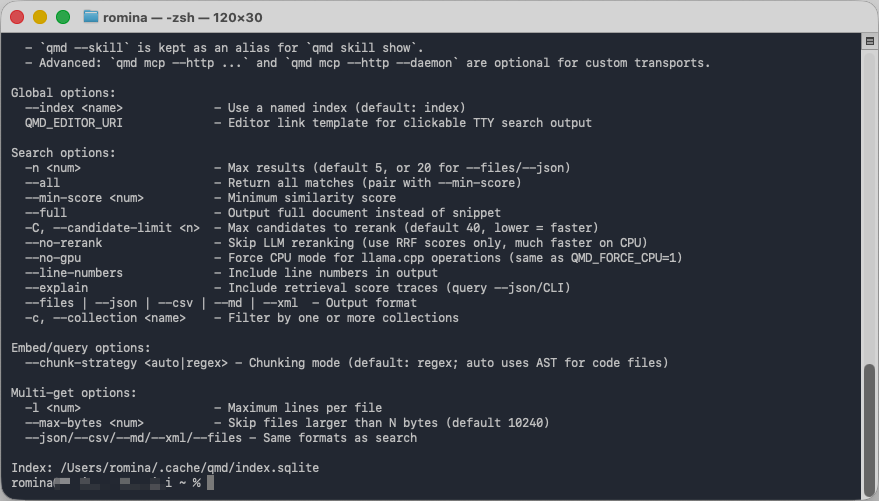
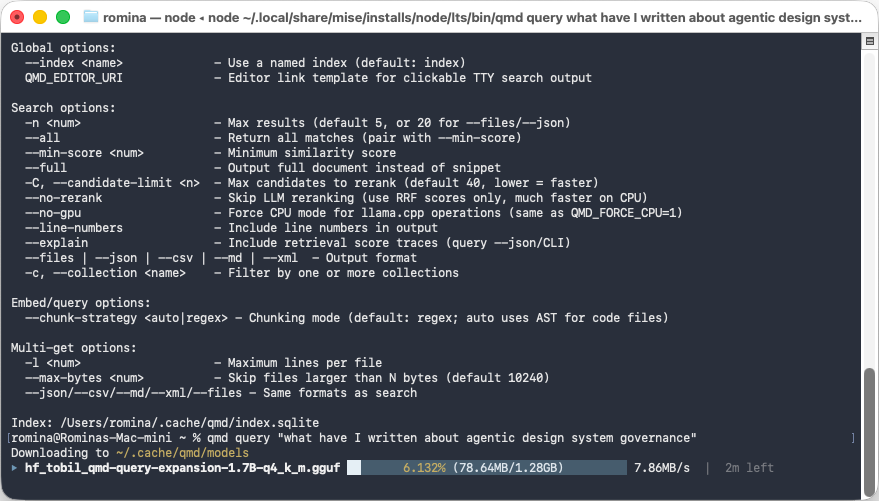
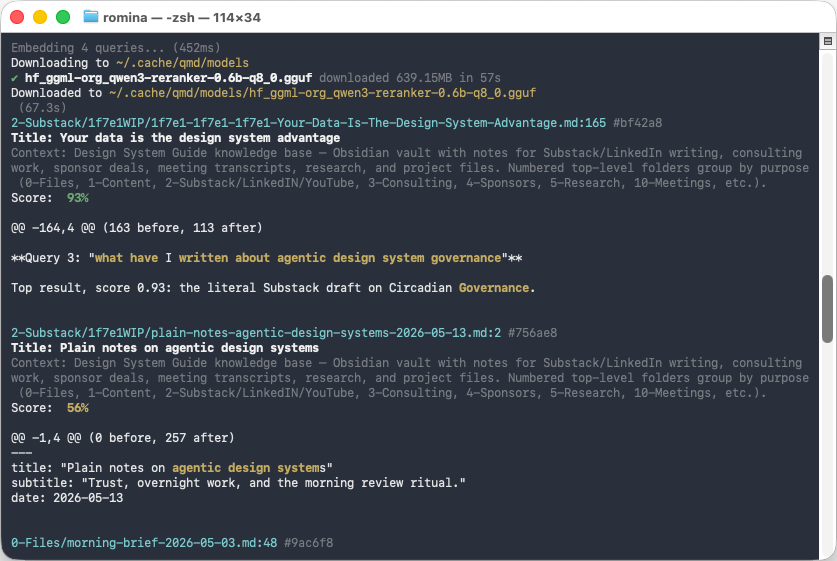
For larger personal knowledge bases, context can also be searchable. The point is not to dump every note into every prompt. The point is to retrieve the exact pieces that matter for the current task.
The payoff
The first time you write context, it feels like overhead. By the end of month one, it feels like the design system did: the thing that makes every next piece of work faster and more consistent.
Prompts die with the session. Context lives for the project. Designers who master context engineering will produce 5× more output at higher quality than designers who only master prompts. Not a little better. Five times.
This is the hidden skill. Everyone talks about prompts. The senior operators talk about context. If you get good at context, you get good at everything downstream.
Write a real CLAUDE.md from your last three friction moments
-
List the last three things Claude got wrong on your project
Open a blank file. Write down the last three specific outputs from Claude that you had to fix by hand. Be concrete: “Used a purple gradient on the hero when our brand is flat green”, “Wrote ‘Get started’ on a CTA when our pattern is action verbs”, “Put an emoji in an H2”.
Do not invent rules. Do not write generic ones. Only list real failures you have seen in the last two weeks.
- At least three entries, each with the project or page where it happened
- Each entry describes a specific output, not a vague feeling (“wrong vibe”)
- You can point at the exact commit or file where you fixed it
-
Convert each friction moment into one CLAUDE.md rule
In the root of one real project, create
CLAUDE.md. Paste the non-negotiables, anti-patterns, and vocabulary scaffold from this guide. Then translate each of your three friction moments into one line in the correct section.Use the template from this guide as a starting point if you need structure. Commit the file with a message like “Add project CLAUDE.md from audit of last three Claude failures”.
CLAUDE.mdexists at the root of a real project and is committed- Every rule maps to a real failure you saw, not an imaginary one
- The file is under 50 lines
- The next time you prompt Claude on that project, at least one of the three failures does not repeat
Finished this lesson?
Mark it complete to track your progress through "Claude Code".
The guides alone saved me a full day of work every sprint.
- All guides, prompts, and templates
- Starter kits and templates
- New content every week
- Priority support