From Executor to Orchestrator: The Career Shift Every Designer Needs to Make
The biggest change in design work is not the tools. It is the role. This essay maps the shift from designer-as-executor to designer-as-orchestrator, with a concrete picture of what each half of your week should look like now.
The shift is not what you think
Most “AI for designers” conversations frame the change as a tooling change. Figma got an AI panel. Claude writes HTML. Cursor generates components. That framing is wrong.
The real shift is not in the tools. It is in the role.
For 20 years the default design role was executor. You took a brief, produced artifacts, and handed them over. Good designers were measured by the artifacts they shipped: screens, prototypes, systems, documentation.
That role is changing. Not disappearing. Changing shape.
The designer’s unit of work is no longer the artifact. It is the system that produces the artifact reliably, at quality, without you touching every pixel.
Make the artifact
Screens, docs, and specs made by hand
Write the rules
Capture taste, constraints, and context
Run the loop
Let agents produce first-pass output
Review the system
Judge output and improve the rules
Scale the practice
Package the loop for teams and clients
That is orchestration. And it is the most important career shift of the next 5 years.
What “executor” actually meant
Executor was never a dirty word. It described the default shape of most design work:
- You got a request
- You opened Figma or the codebase
- You produced the artifact yourself
- You reviewed it yourself
- You shipped it yourself
The whole chain lived inside your hands. Your leverage was a function of how fast and how well you could make things directly.
The world rewarded executors for a long time because making things was expensive. You needed a skilled person at every step. The value was in the making.
What changed
Three things happened almost at the same time:
1. AI closed the “good enough” gap. A competent PM with a prompt can now produce a landing page that, five years ago, would have required a designer. The floor went up.
2. Agents can run workflows, not just generate output. An agent can audit a page, compare it to a design system, write a migration plan, and produce a report. The work is no longer “generate one artifact.” It is “run a recurring workflow with judgment.”
3. Context became a shippable product.
What used to live in your head (rules, principles, preferences, constraints) can now be written down as CLAUDE.md files and skills. That context is what makes AI output look like your work instead of the internet’s average.
Together these three changes moved the leverage point. The leverage is no longer in the making. It is in the direction.
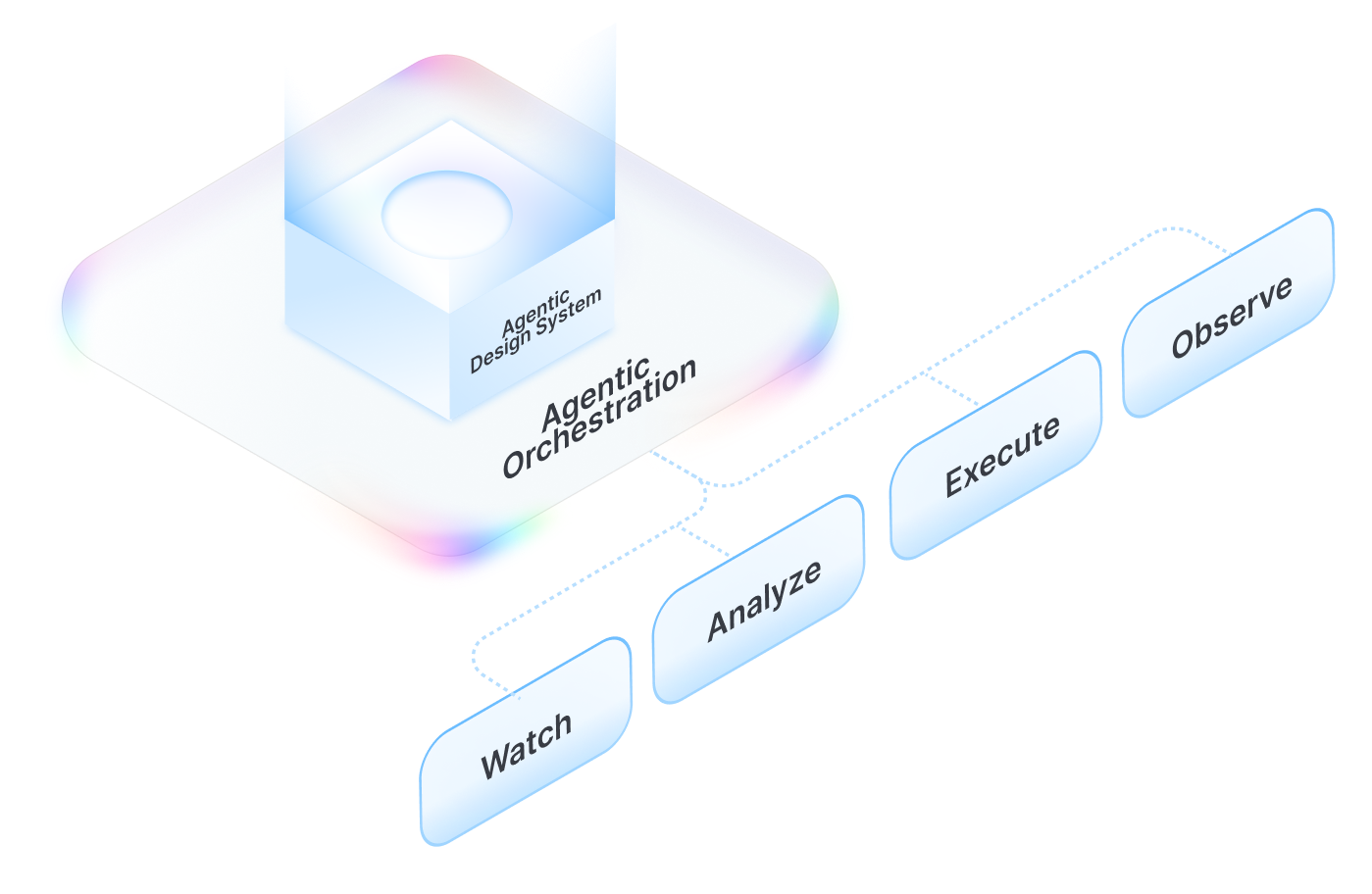
What “orchestrator” actually means
An orchestrator does not stop designing. The word is misleading if you hear it as “management” or “delegation.”
An orchestrator:
- Writes the rules that agents follow
- Builds the skills that agents invoke
- Reviews the output with judgment
- Decides what is good enough to ship
- Chooses which loops to keep running and which to kill
That is a design job. It is the design job, one layer up.
Executors sell execution by the hour. Orchestrators sell outcomes by the loop. The price is different. The craft is different. The leverage is an order of magnitude different.
The two halves of your week, before and after
This is the most concrete way to see the shift.
| Criterion | Executor Doing the work | Orchestrator Best pick Directing systems |
|---|---|---|
| Making things directly | 70% | 10% |
| Writing context (CLAUDE.md, rules, skills) | 0% | 30% |
| Reviewing agent output | 0% | 30% |
| Designing systems and workflows | 0% | 20% |
| Reviewing teammates' work | 10% | 0% |
| Talking to stakeholders | 20% | 10% |
The time spent “designing” does not decrease. What counts as designing expands.
Three examples of the shift in practice
Example 1: UX audit
Executor version
You open the product. You write a 20-page Notion doc with 40 screenshots, 40 comments, and 40 suggestions. You spend three days. Half the comments get ignored because reading 20 pages is a lot.
Orchestrator version
You write a UX review skill in 30 minutes: “Review this screen for first-time user friction, accessibility issues, and copy clarity. Return the top 5 fixes.” You invoke the skill in parallel on the 8 key screens. You review the output, refine it, and hand off a 3-page prioritized fix list. You spend half a day. The fixes are ranked, scannable, and actionable.
Same deliverable, different leverage. And you can run the skill again next month for free.
Example 2: Design system documentation
Executor version
You write component docs manually. Each component gets a page. Each page takes 30 minutes. You have 60 components. That is 30 hours of writing. Two weeks later, the components change and the docs are stale.
Orchestrator version
You write a /generate-component-doc skill once. It reads the component code, reads your documentation template, reads your voice rules, and produces the doc. It runs in 10 seconds per component. When a component changes, you rerun the skill. The docs stay fresh.
Example 3: Landing page production
Executor version
Marketing asks for a new landing page. You design it in Figma, hand it to an engineer, review the build, go back and forth on motion, iterate on copy. Two weeks from brief to ship.
Orchestrator version
Marketing asks for a new landing page. You have a /generate-landing-page skill that references your Taste Stack, your brand rules, and your component library. You run the skill with the new brief. You review the output, fix three things, and ship. Two days from brief to ship.
You are still the designer. You still make the decisions that matter. The difference is you spent the upfront time encoding your decisions so they apply automatically instead of manually, every time.
What orchestrators get good at
Executors were measured by output quality. Orchestrators are measured by four harder skills.
1. Writing constraints, not artifacts
An executor draws a button. An orchestrator writes the rule that defines what a button looks like, when it is used, and what it should never be.
Writing constraints is harder than drawing buttons. You have to be specific enough that an agent (or a junior designer) could apply the rule without you in the room. Vague rules are worthless. Specific rules scale.
2. Reviewing output critically
If you trust everything the agent produces, you are not orchestrating. You are rubber-stamping. The orchestrator’s real work is knowing when to reject the output.
The criteria you apply are your taste, written as rules, reinforced by experience. The review skill is non-negotiable. See Evaluate AI Output Like a Senior Designer.
3. Killing bad loops
Not every workflow should be automated. Some tasks are rare enough that the setup cost outweighs the savings. Some tasks require judgment you cannot encode yet.
The orchestrator decides which loops to keep running. A loop that produces low-value output faster is worse than no loop at all. Killing loops is a senior skill.
4. Deciding “good enough”
Executors iterated on a single artifact until it was “great.” Orchestrators ship output that is “good enough given the budget, the stakes, and the rollback plan.”
This is the hardest shift. You are letting go of craft-as-perfection. You are moving to craft-as-system-design. The system produces acceptable output reliably, and you intervene only where intervention creates real value.
What this looks like for different design roles
Product designer
You move from “designing this feature” to “designing the system that produces features with our quality bar.” Your week is more setup (CLAUDE.md, component rules, review skills) and less pixel work.
Design systems lead
This is the role that benefits most from orchestration. A system lead’s whole job is already setting rules, writing docs, and reviewing compliance. AI tools let you turn those rules into skills that audit adherence automatically. See What Is an Agentic Design System?.
Brand / web designer
You package your taste into reusable skills and sell outcomes, not hours. A taste skill you built once can drive ten client projects with minimal per-project setup. See Build Your Own Taste Skill.
Design consultant
Every hour you save by automating audits, reviews, and documentation is an hour you can reinvest in strategy or scale to another client. Orchestration compresses your delivery time and raises your billable rate.
IC designer at a larger company
Start small. Build one review skill for the work you already do. Use it. Show the team the before/after. The orchestrator role tends to get promoted into, not hired into. Proof of work opens the door.
What stays the same
Taste. Judgment. The ability to sit with a half-finished idea and know which direction to push it. Communication with stakeholders. Understanding the business problem. Sensing when a page is wrong without being able to articulate why (yet).
Those are still the floor of the job. AI does not replace them. It amplifies them, but only if you have them.
Orchestration rewards exactly the same instincts that made you a good executor: taste, judgment, craft. It just applies those instincts one layer higher. If you were good at the artifact layer, you will be good at the system layer.
How to start this week
You do not rebuild your whole practice overnight. You pick one small loop and orchestrate it. Within a month you have one workflow running on orchestration. That is the first tile. The rest follows.
The exercise at the end of this guide walks the loop end to end. Skip there if you would rather start with the work than the philosophy.
The bigger bet
Most designers will drift through the next 3 years doing the same work slightly faster because they have AI autocomplete. A smaller group will use this window to redesign their role.
The reward for the second group is not faster Figma files. It is a compounding advantage. Every skill you write makes next week’s work cheaper. Every rule you codify makes next year’s output more consistent. Every workflow you kill frees capacity.
Executors trade time for output. Orchestrators trade setup for leverage.
Figma in 2016 rewarded designers who learned it early. Agentic workflows in 2026 will reward the same kind of early fluency. The people who make the shift in the next 12 months will be the senior operators of the next 5 years.
Orchestrate one recurring task you already do
-
Name one recurring task and write its rules
Open a text file. Write down one recurring design task you already do every week or every sprint. Examples: UX reviews on new screens, token audits, component documentation, handoff specs. Below the task name, list the rules you apply when you do it manually: what to look for, what to ignore, what a good output contains, what a bad one misses. Be specific enough that a stranger could apply the rules without you in the room.
- The task is something you actually repeat, not a wish list item
- The rules list has at least five concrete criteria, not vague adjectives
- An “anti-patterns” section calls out what the output should never look like
-
Turn the rules into a skill and run it on a real piece of work
Create
.claude/skills/<task-name>/SKILL.mdin a project you own. Paste the rules from Step 1 as the skill body. Add a frontmatter block with anameand adescriptionthat tells Claude Code when to trigger. Then run the skill against a real artifact (a real screen, a real component, a real token file). Compare the output to what you would have produced manually.- The skill file exists and invokes cleanly inside Claude Code
- The generated output covers most of what you would have caught manually
- You can point at one or two specific places the skill missed, which become your Step 3 refinements next run
Finished this lesson?
Mark it complete to track your progress through "Claude Code".
The guides alone saved me a full day of work every sprint.
- All guides, prompts, and templates
- Starter kits and templates
- New content every week
- Priority support