What Figma Make is
Figma Make is Figma’s native AI generation surface, launched in 2026. You describe a screen and Figma generates it — but the part that makes it different from v0, Bolt, or Lovable is that Figma Make reads your published library. Tokens, components, variants, text styles — if it is in a published team library, Figma Make uses it instead of inventing new primitives.
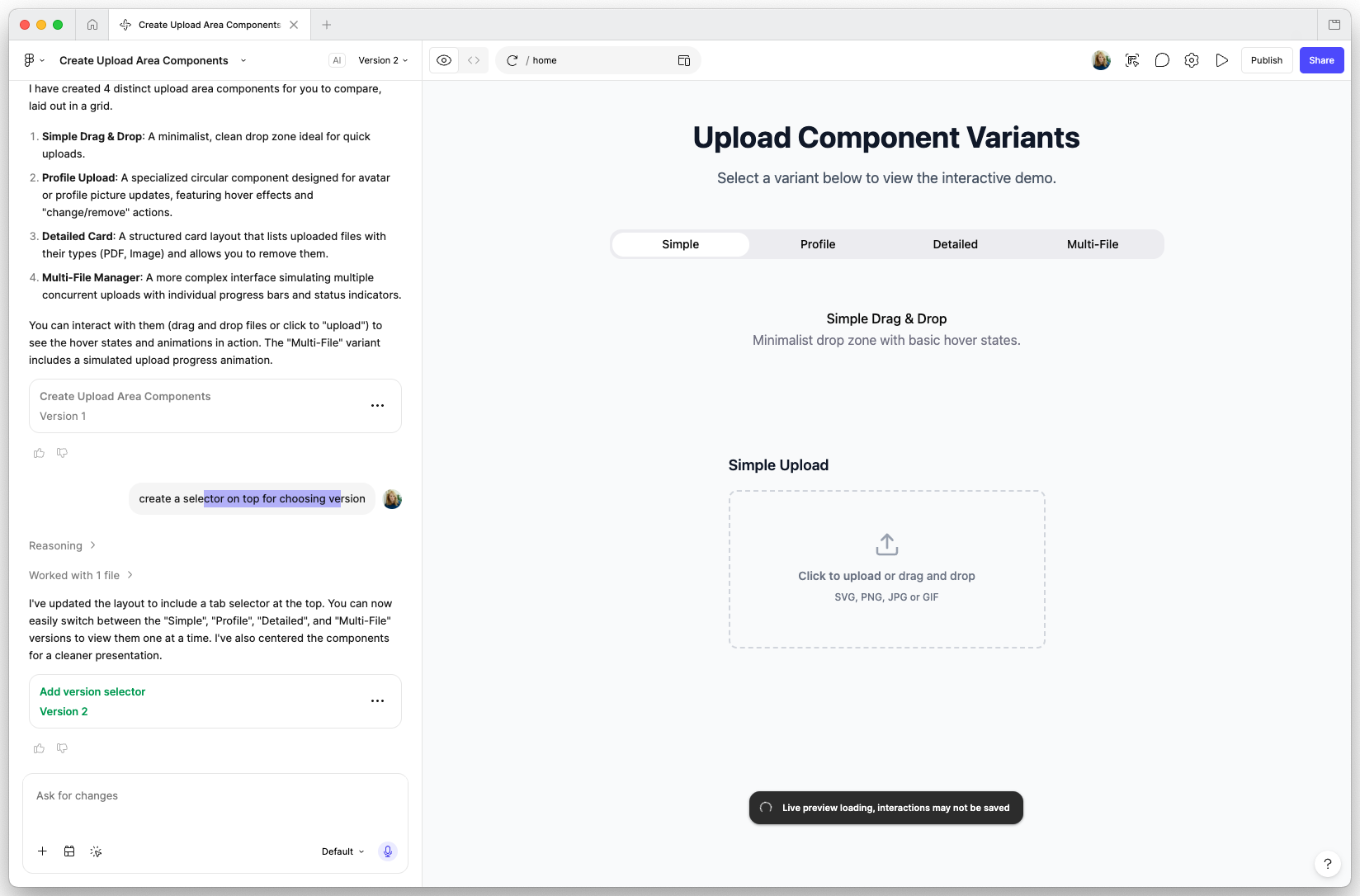
For teams that already invested in a design system inside Figma, this is the first generative tool where the output looks like it came from your library rather than from the internet.
Why this matters
Generative design tools have two failure modes: they invent components your team has to triage out, and they invent tokens your team has to clean up. Figma Make solves both by treating your library as the source of palette, type scale, spacing, and component vocabulary.
The result is not perfect — Figma Make can still pick the wrong variant or stack things awkwardly — but the surface area of slop is dramatically smaller because the inputs are constrained to your components.
What it is good at
- Generating internal tool screens, dashboards, and form-heavy layouts from prompts
- Iterating on a draft by chatting at it (“swap the chart for a table”, “make this two columns”)
- Stress-testing your design system: if Figma Make struggles to generate a screen, that often reveals a gap in your library
- Producing prototypes that designers can take into Dev Mode without first having to “re-do everything with the real components”
Where it gets shaky
- Editorial layouts and marketing pages — Figma Make leans toward product UI patterns and produces wooden output for hero sections
- Brand work that requires expressive layout — it will collapse to standard grids
- Highly interactive prototypes — generation handles static layouts; complex flow logic still needs a designer
How to use it well
- Make sure your library is published and current before you start. Figma Make is only as good as the library it reads from.
- Use it for the first draft, not the final pass. A human designer should still polish before handoff.
- Audit the output against your component intent map — Figma Make will sometimes pick a technically-correct component for the wrong intent.
- Pair with Figma MCP Server so the code that ships from this prototype stays connected to your tokens via bidirectional sync.
Where it sits in your stack
Figma Make is the front of the design funnel: prompt-to-prototype, in Figma, respecting your library. From there, hand off via Dev Mode or push through Figma MCP to the code side. It is the most design-system-respecting generative surface available right now, and the only one where the generator and the library live in the same tool.
Try with Prompts
Ready-to-use prompts related to this guide
Review AI-generated or hand-written code against a Figma design to catch visual mismatches, missing states, and token drift.
Review a component or page for WCAG 2.1 compliance, covering contrast, keyboard navigation, screen readers, and motion.
Write a clear, actionable component deprecation notice with migration steps, timeline, and replacement guidance.